


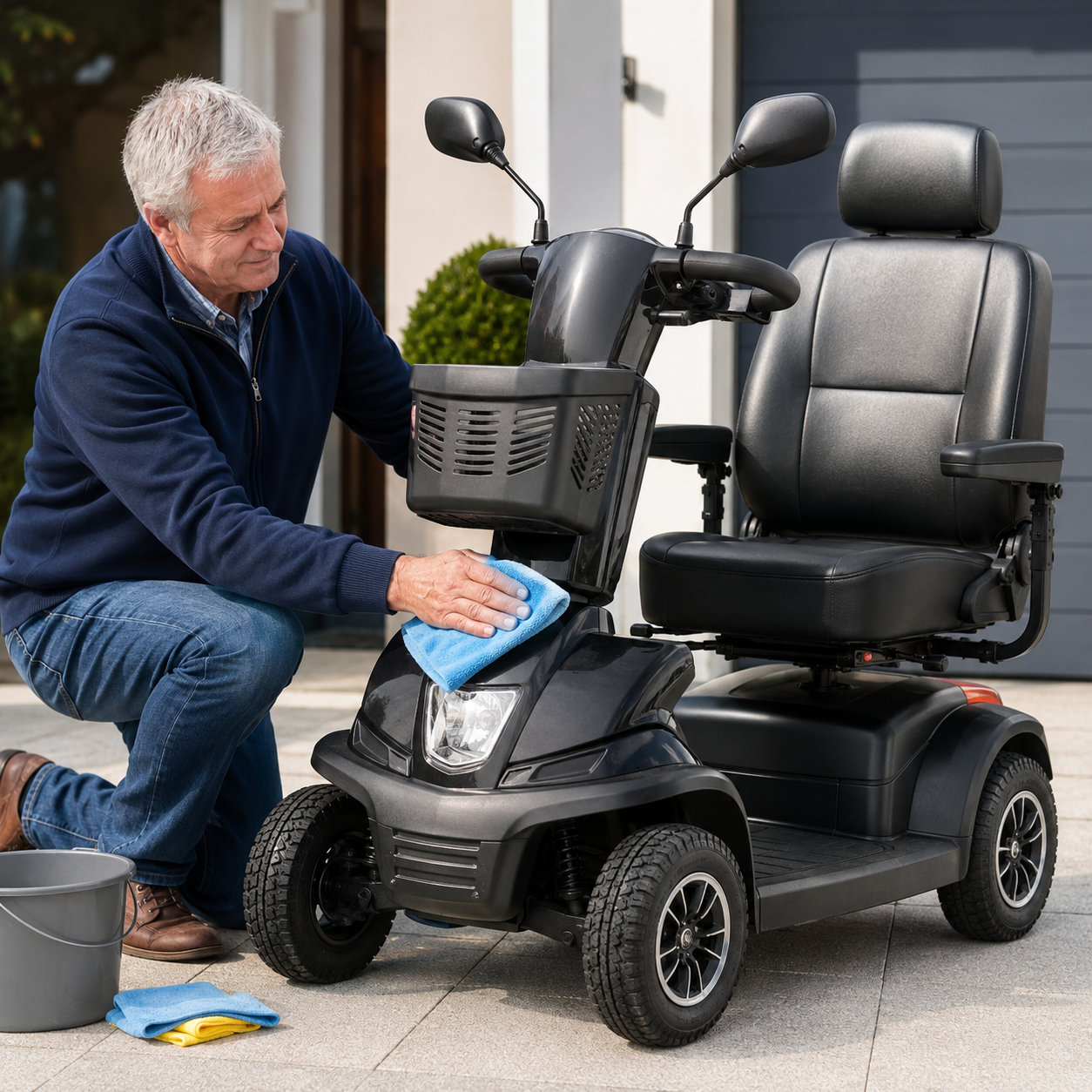
How to Clean a Mobility Scooter Safely: Complete Step-by-Step Guide
Regular cleaning keeps a mobility scooter looking presentable and gives you an opportunity to spot loose fittings, damaged tyres, corrosion and other developing problems. The scooter contains sensitive electrical equipment, however, so it should never be cleaned like a bicycle or car.
Use as little moisture as possible and keep it away from the electrical system
A soft damp cloth is normally sufficient for routine cleaning. Dirt should be loosened gently rather than blasted away using a hose or pressure washer.
Switch the scooter off, remove the key and disconnect the charger before beginning. Follow the manual supplied with your specific model whenever its instructions differ from general advice.
Switch everything off
Remove the key and make sure the charger is unplugged before cleaning.
Never soak the scooter
Use a damp cloth rather than a hose, pressure washer or running water.
Clean from top to bottom
Start with the seat and controls before moving down to the bodywork and wheels.
Dry it thoroughly
Do not reconnect the charger or use the scooter while moisture remains.
Mobility scooters regularly encounter dust, road dirt, leaves, food spills, rain and mud. Allowing this debris to build up can make the scooter harder to inspect and may trap moisture around body panels, wheels and accessible metal components.
Cleaning does not need to involve dismantling the scooter or exposing its internal parts. Most routine care should be completed using dry tools, soft cloths and a small amount of suitable cleaner.
The aim is to remove dirt without introducing water into the controls, charging socket, battery connections, motor or wiring.
Water can enter electrical and mechanical components even when the exterior appears well sealed. Do not spray cleaner directly onto the scooter either; apply it to the cloth instead.
Before Cleaning Your Mobility Scooter
Choose a dry, well-lit location where you can move safely around the scooter. Avoid cleaning it on a public pavement or somewhere that water and equipment could create a trip hazard.
- Park on a dry and level surface.
- Switch the scooter off completely.
- Remove the ignition key.
- Unplug and put away the battery charger.
- Allow recently used components to cool.
- Close the charging-socket cover.
- Remove loose shopping and personal belongings.
- Remove detachable cushions where their instructions permit it.
- Check the manual for cleaning restrictions.
- Arrange assistance if bending or reaching would be difficult.
Battery covers, controllers, motor assemblies and wiring should only be opened or disconnected where the manual instructs you to do so or by an experienced mobility technician.
What Should You Use to Clean a Mobility Scooter?
Always test a new product on a small, inconspicuous area and check that it is suitable for the exact material.
Safer cleaning options
- Soft microfibre cloths.
- A clean, slightly damp cloth.
- Mild soapy water where permitted.
- A mild, non-abrasive surface cleaner.
- Soft detailing or paint brushes.
- A dry cloth for the control panel.
- Upholstery products specifically approved for the seat material.
- Manufacturer-approved polish or wax where stated in the manual.
Products and methods that may cause damage
- Hoses and pressure washers.
- Steam cleaners.
- Abrasive pads or scouring sponges.
- Strong solvents or petrol-based cleaners.
- Bleach unless specifically approved.
- Spraying cleaner directly onto the scooter.
- Tyre shine applied to the tread.
- Products that leave the seat slippery.
- Oil or lubricant not specified by the manufacturer.
Use separate cloths and follow the instructions for each surface rather than applying one cleaner across the complete scooter.
Mobility Scooter Cleaning Zones
Each part of the scooter needs a slightly different cleaning approach.
Controls and display
Use a dry or barely damp cloth. Never spray the console directly.
Seat and armrests
Clean with a product approved for the upholstery and dry completely.
Body panels and tiller
Wipe gently using a damp cloth and mild, non-abrasive cleaner.
Foot platform and lower frame
Brush away grit before wiping so it does not scratch the surface.
Wheels and tyres
Remove mud and debris without soaking wheel hubs, brakes or the motor.
How to Clean a Mobility Scooter Step by Step
1. Check the manual
Look for instructions covering upholstery, painted panels, removable batteries, folding mechanisms and approved cleaning products.
2. Remove loose belongings
Empty the basket, storage box and seat pocket. Remove loose covers and cushions where permitted.
3. Brush away dry debris
Remove grit, leaves, crumbs and dried mud using a soft brush or dry cloth before applying moisture.
4. Wipe the seat and armrests
Use a clean cloth and mild soapy water or an upholstery cleaner approved for the seat material. Dry it immediately.
5. Clean the controls carefully
Use a dry microfibre cloth first. For stubborn marks, use a barely damp cloth while preventing moisture from entering buttons, seams and the display.
6. Wipe the tiller, panels and frame
Work from the top down using a damp cloth and mild cleaner. Apply cleaner to the cloth, not directly to the scooter.
7. Clean the wheels and tyres
Remove dirt with a brush and damp cloth. Turn accessible wheels carefully to inspect the full tyre without placing hands near moving parts.
8. Check underneath without dismantling
Look for trapped leaves, mud and obvious damage. Do not crawl beneath, tip or lift a heavy scooter without suitable equipment and assistance.
9. Dry every cleaned surface
Use a separate dry cloth and leave the scooter in a ventilated area until no moisture remains.
10. Complete a final safety check
Check that the seat, tiller, basket, charging cover and removable components are correctly fitted before using the scooter.
How to Clean Each Part of a Mobility Scooter
Vinyl seat and armrests
Wipe with a soft cloth and a small amount of mild soapy water. Remove any soap residue and dry thoroughly.
Avoid products that leave the upholstery greasy, glossy or slippery.
Control panel and display
Begin with a clean dry cloth. Use only a barely damp cloth where necessary and avoid buttons, joins, charging points and display edges.
Never spray disinfectant or cleaner directly onto the console.
Plastic body panels
Remove grit first to prevent scratches. Wipe with a damp cloth and mild non-abrasive cleaner before drying with a clean cloth.
Use polish or wax only where the manufacturer permits it.
Foot platform
Brush away stones, grit and dried mud before wiping the platform. Pay attention to grooves where dirt can collect.
Make sure the surface is completely dry and remains non-slip.
Fabric covers and cushions
Follow the care label. A removable cover may be washable even when the inner cushion is not.
Do not refit a damp cover or cushion onto the scooter.
Basket and storage box
Empty the storage area, brush out crumbs and debris, then wipe it with a cloth appropriate for the material.
Check fixings and brackets before loading it again.
How to Clean Mobility Scooter Wheels and Tyres
Wheels collect the most road dirt, but they also sit close to bearings, brakes, motors and electrical components. Clean them carefully without flooding the area.
- Allow wet mud to firm slightly if wiping it would spread it further.
- Remove leaves, grass and loose stones by hand or with a soft brush.
- Use a damp cloth to lift remaining dirt.
- Clean wheel rims without directing water towards the hubs.
- Rotate accessible wheels carefully to inspect the complete tyre.
- Check tread for stones, glass and other embedded objects.
- Inspect pneumatic tyres for cuts and pressure loss.
- Inspect solid tyres for splitting, flat spots and heavy wear.
- Dry the wheels and surrounding frame.
Products that leave a slippery coating can reduce grip. Do not apply cleaner, oil or lubricant to braking components, wheel bearings or the motor.
Cleaning Around the Battery and Charger
Routine cleaning should normally be limited to accessible external surfaces. Do not open a sealed battery, dismantle a battery pack or place a wet cloth across electrical connections.
Safe external checks
- Make sure the charger is unplugged from the mains.
- Wipe the charger casing with a dry cloth.
- Inspect the charging cable for cuts or crushing.
- Check the charging plug for bent or damaged pins.
- Keep charger ventilation openings free from dust.
- Check that the scooter’s charging-socket cover closes.
- Look for visible corrosion around accessible connections.
- Check that a removable battery fits and locks correctly.
Frayed cables, damaged plugs, corrosion, swelling, leaking or unusual heat should be investigated before the scooter or charger is used again.
Read the complete mobility scooter battery-care guide .
Clean and Dry the Scooter Before Storing It
Mud and rain should be dealt with promptly, but the scooter must not be soaked in an attempt to remove them.
Park somewhere dry
Switch off the scooter and remove the key before beginning.
Remove heavy debris
Lift away leaves, grass and larger pieces of mud using a cloth or soft brush.
Wipe, do not rinse
Use damp cloths to clean the bodywork, floorboard and tyres without soaking components.
Let it dry fully
Dry the controls, seat, charging area, frame and wheels before charging or covering the scooter.
How to Disinfect a Mobility Scooter
Disinfecting may be useful when several people use the scooter. A disinfectant must be suitable for the surface and should not be sprayed into electrical equipment.
High-touch areas include:
- Handlebar grips.
- Drive-control levers.
- Speed and lighting controls.
- Ignition key and switch.
- Armrests.
- Seat swivel and adjustment levers.
- Basket handles.
Use only the quantity needed to dampen the cloth. Keep liquid away from display edges, buttons, switches, charging sockets and other openings.
Some disinfectants can discolour plastic, damage painted finishes, dry out vinyl or leave the seat slippery.
Cleaning Different Types of Mobility Scooter
| Scooter type | Areas needing extra attention | Main precaution |
|---|---|---|
| Folding scooter | Folding joints, catches, frame hinges and exposed electrical connectors | Keep joints clean without adding unapproved lubricant |
| Dismantling car-boot scooter | Frame connection points, battery box and removable seat post | Make sure every component is dry before reassembly |
| Road-legal scooter | Lights, reflectors, indicators, mirrors, suspension and larger wheels | Do not allow dirt or cleaner to obscure lighting equipment |
| All-terrain scooter | Tyres, wheel arches, underside and accessible suspension components | Do not pressure wash mud from underneath |
| Canopy scooter | Windscreen, roof, side panels, seals and mirrors | Use products approved for the windscreen material to prevent scratching or clouding |
How Often Should You Clean a Mobility Scooter?
Cleaning should be based on use and condition rather than a rigid timetable. A scooter used daily outdoors will need more attention than one used occasionally inside a shopping centre.
Wet or muddy journeys
Remove mud, rainwater, leaves and grit before the scooter is placed into long-term storage.
Regular outdoor users
Wipe high-touch surfaces, controls, seat, basket, bodywork and visible dirt from the wheels.
More detailed inspection
Check tyres, accessible frame areas, cables, charger, connections and folding components.
Deeper clean and service review
Prepare for winter or increased summer use and check whether professional servicing is due.
Food, drinks, creams and bodily fluids should not be left on the seat, controls or painted surfaces until the next planned clean.
Mobility Scooter Cleaning Mistakes to Avoid
- Cleaning while the scooter is switched on.
- Leaving the charger connected.
- Using a hose or pressure washer.
- Spraying cleaner onto the control panel.
- Allowing liquid to pool around switches or sockets.
- Scrubbing bodywork before removing grit.
- Using abrasive pads.
- Applying strong solvents to plastic or paint.
- Applying conditioner to tyre tread.
- Leaving the seat slippery.
- Covering or charging the scooter while it is damp.
- Lubricating parts without checking the manual.
- Tipping a heavy scooter to clean underneath.
- Opening sealed batteries or electrical housings.
- Ignoring damage uncovered during cleaning.
Problems You May Notice While Cleaning
Cleaning is also an opportunity to inspect the scooter. Pay attention to anything that looks, feels or smells different.
Developing problems
- Repeated tyre-pressure loss.
- Cracked or heavily worn tyres.
- Loose mirrors or body panels.
- Damaged seat covering.
- Corrosion around accessible metalwork.
- A damaged charging-socket cover.
- Loose folding or dismantling catches.
Potential safety concerns
- Exposed or damaged wiring.
- A swollen or leaking battery.
- Cracks in the frame or seat mounting.
- Loose wheels.
- Strong electrical or burning smells.
- Water inside the controls or display.
- Significant corrosion around connections.
Mobility Connect’s Aftercare service can assist with servicing, battery checks, tyres, faults and repairs.
Storing the Scooter After Cleaning
The scooter should be completely dry before it is charged, covered or placed into an enclosed storage area.
- Dry the seat, controls, bodywork and wheels.
- Check that the charging socket is dry.
- Leave the scooter ventilated after a wet clean.
- Do not trap dampness beneath a storage cover.
- Store the charger somewhere clean and dry.
- Keep the scooter away from rain, frost and extreme heat.
- Follow the battery-storage instructions in the manual.
- Keep the scooter out of escape routes and doorways.
Mobility Scooter Cleaning Checklist
- Read the manufacturer’s cleaning instructions.
- Park somewhere dry and level.
- Switch off and remove the key.
- Unplug the charger.
- Remove loose belongings and cushions.
- Brush away dry dirt before wiping.
- Use soft microfibre cloths.
- Use only mild, non-abrasive cleaner.
- Apply cleaner to the cloth, not the scooter.
- Keep moisture away from electrical components.
- Clean the seat without leaving it slippery.
- Remove dirt from tyre tread.
- Avoid tyre shine on the tread.
- Do not hose or pressure wash the scooter.
- Do not add unapproved lubricants.
- Dry every surface thoroughly.
- Inspect for wear and damage.
- Refit and secure removable components.
- Do not charge until the scooter is dry.
Mobility Scooter Cleaning FAQs
Can you hose down a mobility scooter?
No. A mobility scooter contains electrical and mechanical components that may be damaged by direct water exposure. Use a soft damp cloth and dry the scooter thoroughly.
Can you pressure wash a mobility scooter?
No. Pressurised water can enter joints, controls, bearings, the motor and electrical connections. Remove mud with a brush and damp cloth instead.
What is the best thing to clean a mobility scooter with?
A soft microfibre cloth and a small amount of mild, non-abrasive cleaner are suitable for many external surfaces. Check the product manual and material instructions first.
Can I use washing-up liquid on my mobility scooter?
A small amount of mild soapy water may be suitable for some seats and body surfaces, but check the manual and remove any residue. Do not allow it to enter electrical components.
How do I clean a mobility scooter seat?
Use a soft cloth and a cleaner approved for the upholstery. Mild soapy water is commonly suitable for vinyl seats. Remove residue and dry the seat completely so it does not remain slippery.
Can I use antibacterial wipes on a mobility scooter?
Only use wipes that are compatible with the surface. Do not use an excessively wet wipe around controls, displays, switches or charging sockets, and test it on a hidden area first.
How do I remove mud from mobility scooter wheels?
Remove loose mud with a soft brush, then wipe the wheel and tyre with a damp cloth. Avoid directing water towards hubs, brakes, bearings or the motor.
Should I clean underneath my mobility scooter?
Remove accessible leaves, grass and dirt, but do not tip or lift a heavy scooter without suitable assistance and equipment. A technician can clean and inspect difficult areas during servicing.
Can I polish mobility scooter bodywork?
Some painted plastic shrouds can be polished or waxed using an approved product. Check the manufacturer’s instructions and keep polish away from controls, seats, foot mats and tyre tread.
How often should a mobility scooter be cleaned?
Clean it whenever dirt, spills, mud or rainwater are present. Regular outdoor users may benefit from a weekly wipe-down and a more detailed monthly inspection.
Can I charge the scooter immediately after cleaning it?
Only reconnect the charger after the scooter, charging socket and battery area are completely dry.
Does cleaning replace a mobility scooter service?
No. Cleaning helps you spot visible damage but does not test the battery, controller, motor, braking system or internal electrical components. Follow the recommended servicing schedule.
Has Cleaning Revealed a Problem With Your Scooter?
Mobility Connect can help with batteries, tyres, charging problems, controls, servicing and repairs, helping you keep your scooter safe and dependable.